Get Pincode Wise Data- All Business category.
by DIGITALHUBITSOLUTIONin Bulk Whatsapp 100% No Blocking , NORMAL BULK WHATSAPP on May 13, 2018Choose Your Desired Option(s)
Extract PIN code–wise and area–wise business data from any country worldwide.
Get data Any Count
Professional Google Maps Data Scraper
Our advanced Google Maps data scraper is designed to collect the most valuable business information directly from Google Maps and listed business websites. The scraping process works directly from Google Maps, so there is no need to connect to the Google API.
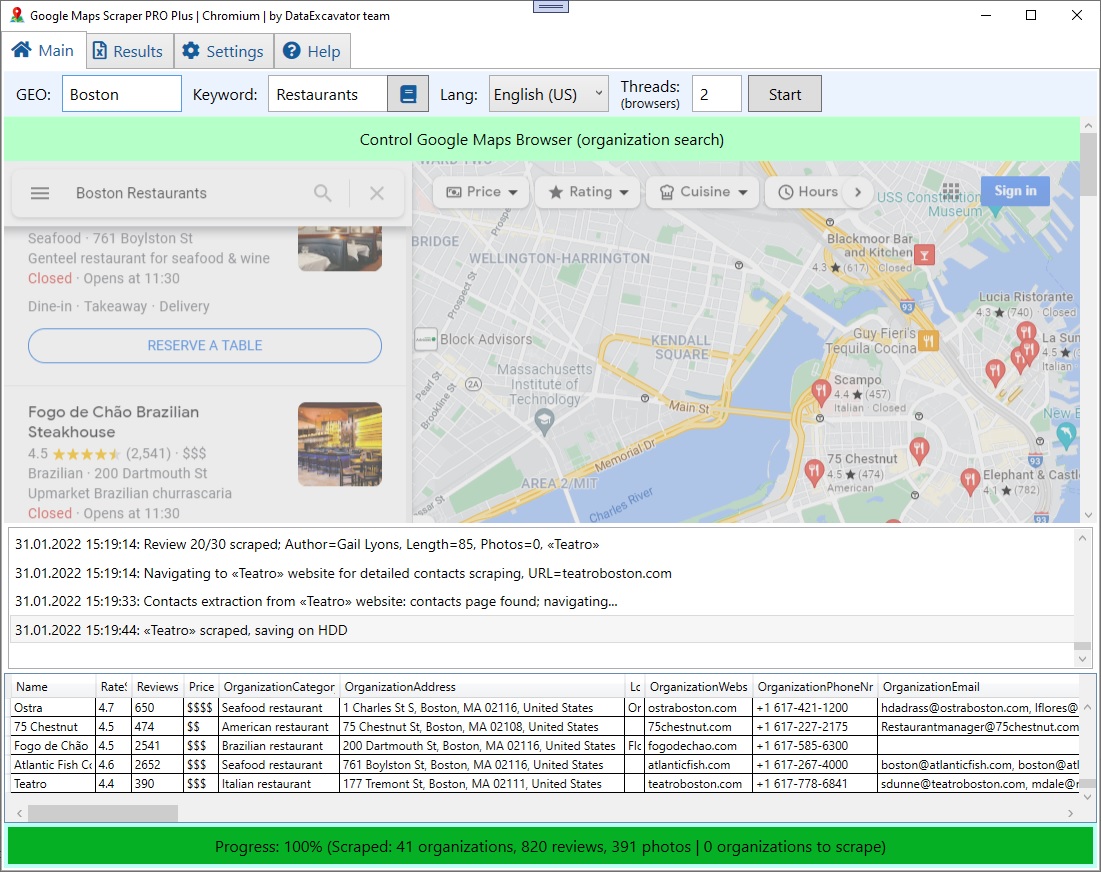
The application allows unlimited data extraction. Simply download the software, enter your geo-location (city, region, or country) along with a search keyword, click Start, and the application handles everything automatically.
What Data Can Be Extracted
From Google Maps, the application extracts:
Business name
Phone numbers
Physical address
Working hours
Business descriptions
Website URLs
Reviews and ratings
Business photos
From business websites (if available), it extracts:
Email addresses
Facebook, Twitter, YouTube, Yelp, TripAdvisor, and other social media links
All business photos are saved directly to your system in JPG format.
Smart & Human-Like Scraping Technology
The application is built on Google Chrome technology, integrated directly into the software.
One window scrolls through business listings
Multiple background windows extract business data simultaneously
The scraper mimics real user behavior, making the data collection process smooth, flexible, and efficient.
Advanced Filters & Lead Generation
This tool is ideal for lead generation and business research. You can:
Filter businesses by rating (for example, 3.0 to 4.5 stars)
Filter businesses based on the presence or absence of reviews
Filter reviews by length and relevance
With multiple customization options, the application enables you to quickly extract high-quality business data from Google Maps in just a few clicks.
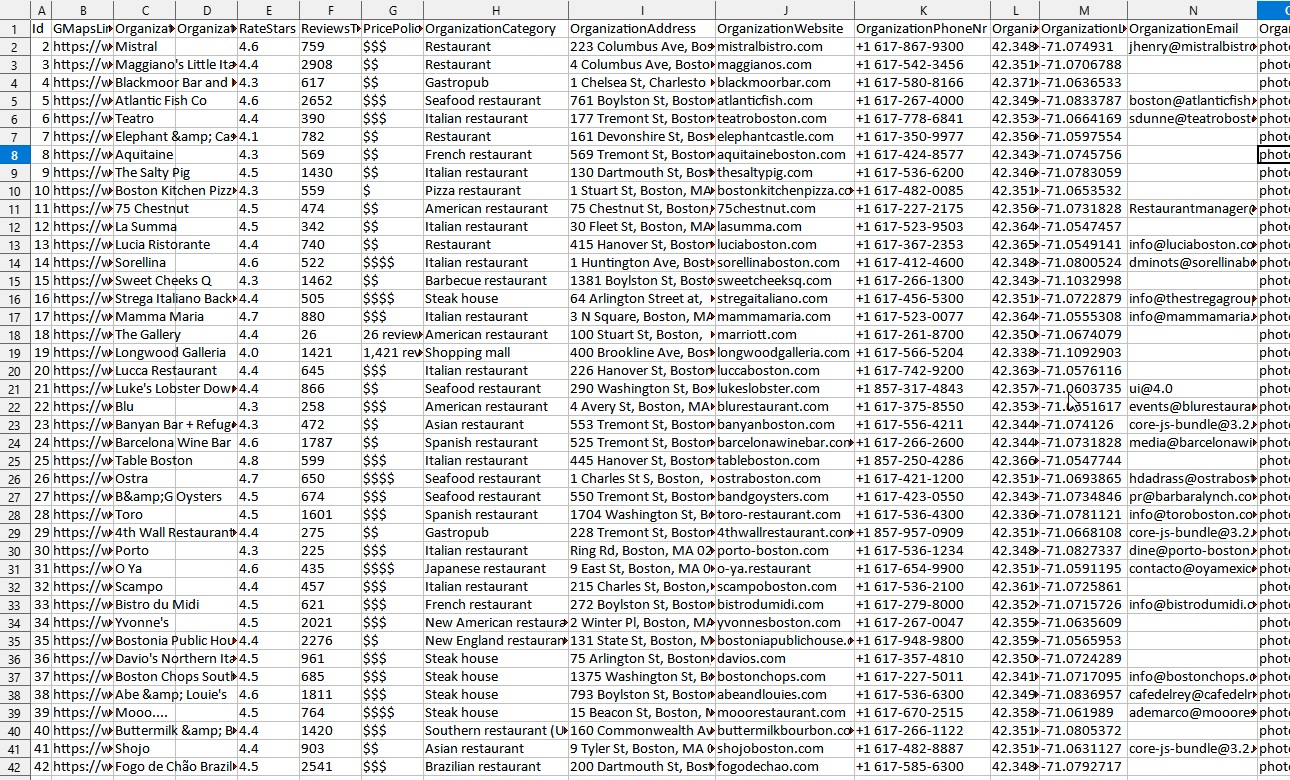
- Link to the organization card on Google Maps
- Company name
- Total rating based on all reviews (1,2,3,4,5 stars)
- Number of reviews
- Price policy ($, $$, $$$, $$$$)
- Category
- Address of the organization, including city
- Specified information about the location area
- Website address
- Contact phone number
- Plus code
- Working hours
- Whether the organization is open or closed
- Coordinates – latitude and longitude
- Short description
- Email (from website)
- Facebook link (from website)
- Instagram link (from website)
- Twitter link (from website)
- LinkedIn link (from website)
- YouTube link (from website)
- Link to Yelp (from website)
- TripAdvisor link (from website)
- Link to Contact Us page (from website)
- !!! ALL reviews, including text, rate, photos
- !!! ALL photos JPG files will be saved on your PC
Google Maps Data Scraper – Export & Features
Exporting Results:
Extracted data can be saved in XLSX, CSV, JSON, SQL (mySQL), or XML formats. Simply select a completed project from the Results tab, choose an export folder, and the app will generate the file along with a folder containing all downloaded images.
App Limitations:
Google Maps occasionally changes its layout. When this happens, the scraper may stop working temporarily until an updated version is released. Updates are quickly made available on our website.
About the App:
This is a single-purchase, Google Maps–specific scraper—a simplified version of our main product, DataExcavator, which handles any website and follows a subscription model. The app requires no Google API key—download and start using it immediately.
Advanced Features:
Supports proxy servers for large-scale scraping or avoiding blocks
Multiple geolocations and search keywords supported simultaneously
Scrapes all reviews, including full text, photos, and reviewer profile links
Automatically downloads all business images
System Requirements:
VC++ Redistributable 2019 (x86 & x64)
.NET Framework 4.7.2
1 GB+ RAM
1 GB+ free HDD space (ensure free space on C drive)
Windows 7 / 8 / 10
Share Now!
Related Products



Popular & Trending
Featured Products